
By Ryan: January 12 2026
The truth is more nuanced than most people realize. In 2026, the answer to how much RAM you need depends on several factors when deciding how much RAM is best for gamers . what games you play, what resolution you’re gaming at, whether you multitask while gaming, and how your CPU and GPU balance with your memory. Some gamers genuinely benefit from 32GB, while others are perfectly fine with 16GB. As for 64GB, well, that’s where things get interesting and where most gamers are probably wasting their money.
Let’s cut through the noise and figure out exactly how much RAM you need for gaming based on real-world gaming performance, not theoretical benchmarks or sponsored recommendations.
For years, 16GB was the undisputed sweet spot for gaming. It handled everything from competitive esports titles to demanding AAA games without breaking a sweat. In 2026, that’s starting to change, but not in the dramatic way some hardware enthusiasts would have you believe.
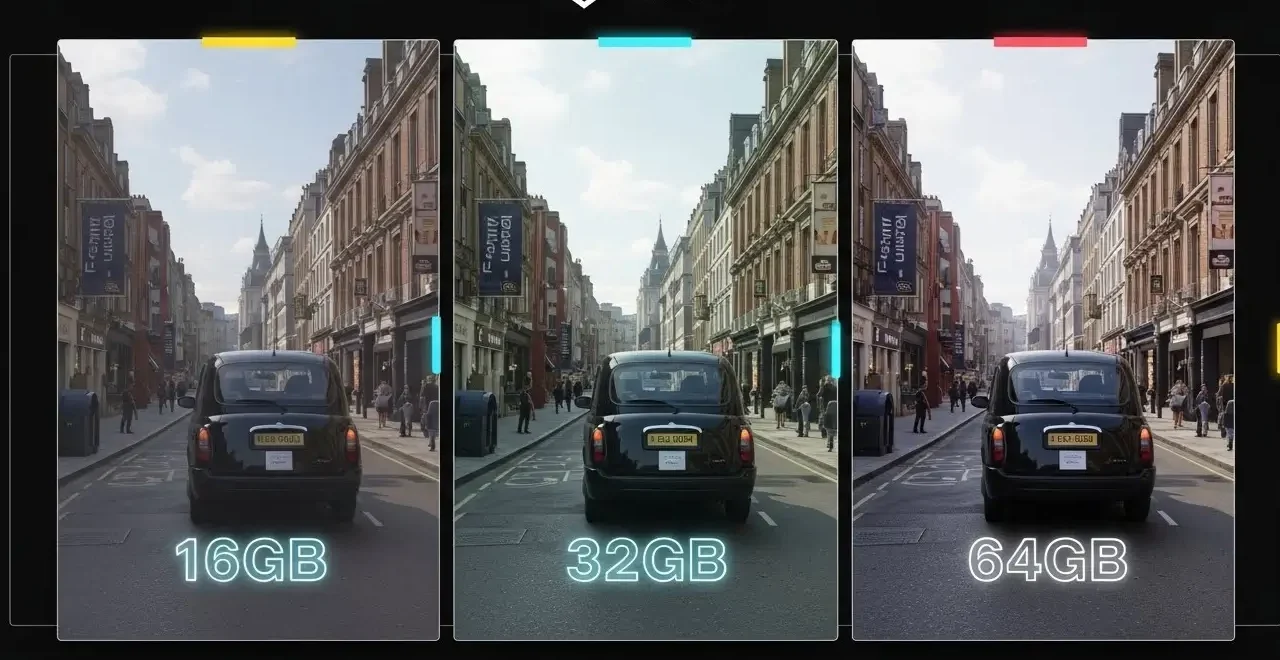
If you’re primarily gaming at 1080p with medium to high settings, 16GB of DDR4 or DDR5 RAM still gets the job done for most titles, which clearly answers how much RAM is best for gamers. Games like Valorant, Counter-Strike 2, League of Legends, and Fortnite run beautifully on 16GB systems. Even some AAA titles like Elden Ring and older releases maintain solid frame rates with 16GB, particularly if you’re pairing it with a capable GPU like an RTX 4060 or RX 7600 and a modern CPU such as a Ryzen 5 or Core i5.
The real question isn’t whether 16GB can run games in 2026, but whether it provides enough headroom for how you actually use your computer. If you’re the type of gamer who closes Discord, shuts down Chrome, and focuses purely on gaming, 16GB might still work for you. However, the moment you start adding background applications into the mix, things get tight. Modern gamers rarely just game anymore. They’re running Discord for voice chat, streaming their gameplay through OBS, monitoring performance with MSI Afterburner, maybe watching a YouTube tutorial on a second monitor, and keeping dozens of Chrome tabs open. All of that eats into your available RAM.
Where 16GB really starts to struggle is with newer open-world games and titles that utilize high-resolution textures. Games like Hogwarts Legacy, Star Citizen, and Microsoft Flight Simulator can push RAM usage beyond the 16GB threshold, especially at 1440p or 4K resolutions with ultra settings enabled. When your system runs out of physical RAM, Windows starts using your SSD as virtual memory through the page file, which is significantly slower. This manifests as stuttering, longer loading times, and those frustrating frame time spikes that make gameplay feel choppy even when your average FPS looks fine.
The minimum RAM requirement for many 2026 releases sits at 16GB, but as any experienced PC gamer knows, minimum requirements rarely translate to smooth gameplay. They mean the game will launch and technically run, but you won’t enjoy the experience. Recommended specifications typically hover around 32GB for newer AAA titles, and there’s a good reason for that.
In 2026, 32GB has become what 16GB was five years ago: the comfortable middle ground that handles almost everything you throw at it without compromise. If you’re building a new gaming PC or upgrading your existing system, 32GB should be your target unless you have specific budget constraints, which clearly answers the question of how much RAM is best for gamers.
The practical benefits of 32GB become apparent the moment you start playing demanding titles while maintaining your normal computing habits. You can keep Discord running in the background, monitor your system temps with HWiNFO, stream to Twitch through OBS, record gameplay footage, and still have RAM to spare. Modern AAA games like Cyberpunk 2077 with ray tracing enabled, the upcoming GTA VI, and heavily modded versions of games like Skyrim or Fallout 4 can easily utilize 20GB or more when you account for both the game itself and your background applications.
The performance difference between 16GB and 32GB isn’t just about having more memory available. It’s about eliminating the micro-stutters and frame time inconsistencies that occur when your system is constantly managing memory. With 32GB, your operating system and applications aren’t fighting for scraps of available RAM. Windows can keep more data cached in memory, which speeds up everything from loading game assets to switching between applications.
For gamers who play at 1440p or 4K, 32GB is practically essential. Higher resolutions mean larger texture files and more detailed assets that need to be stored in memory. When paired with a high-end GPU like an RTX 4080, RTX 5070, or an RX 7900 XTX, having 32GB ensures that your powerful graphics card isn’t being held back by insufficient system memory. This is particularly important as VRAM (the memory on your graphics card) fills up, which we’ll discuss in more detail shortly.
The cost difference between 16GB and 32GB has narrowed considerably. A quality 32GB DDR5 kit running at 6000MHz or 6400MHz from brands like Corsair Vengeance, G.Skill Trident Z, or Kingston Fury typically costs between $100 and $150, which represents excellent value given the performance benefits and longevity you’re getting. DDR4 options are even more affordable if you’re working with an older platform, with 32GB DDR4 kits at 3200MHz or 3600MHz often available for under $180.
Beyond pure gaming, 32GB gives you the flexibility to do more with your PC. If you ever get into content creation, video editing, 3D rendering, or game streaming, you’ll be glad you have the extra memory. Programs like Adobe Premiere Pro, DaVinci Resolve, and Blender are memory-hungry applications that benefit tremendously from having more RAM available.
Here’s where we need to have an honest conversation that the hardware industry doesn’t always want you to hear: for the vast majority of gamers, 64GB of RAM is complete overkill. It sounds impressive, and there’s a certain appeal to having “maxed out” your system, but unless you fall into very specific use cases, you’re not going to see any gaming performance benefit from jumping to 64GB.
Pure gaming workloads simply don’t use that much RAM. Even the most demanding AAA titles released in 2026, running at 4K with every setting maxed out and ray tracing enabled, rarely push beyond 24GB of total system memory usage when you account for the game, Windows, and typical background applications. The extra 32GB just sits there unused, providing no performance advantage whatsoever.
Where 64GB does make sense is for users who do heavy multitasking or run professional applications alongside gaming. If you’re someone who keeps 50+ Chrome tabs open, runs virtual machines, does professional video editing with multiple 4K timelines, works with large Photoshop files while gaming, or streams at very high quality while also recording locally, then 64GB might actually get used. Content creators who render videos in the background while gaming might also benefit. But these are specialized scenarios, not typical gaming use cases.
The price premium for 64GB is substantial. You’re looking at $250 to $400 for a quality 64GB DDR5 kit, and that money would be far better spent upgrading your GPU, getting a faster NVMe SSD, or investing in a better monitor. The performance-per-dollar ratio drops off dramatically once you exceed 32GB for gaming purposes.
There’s also a common misconception about “future-proofing” when it comes to RAM. People argue that buying 64GB now means they won’t need to upgrade for many years. The flaw in this logic is that RAM technology and standards change. By the time games actually require more than 32GB, we’ll likely be several generations into DDR6 or whatever comes next, and your 64GB of DDR5 from 2026 will be outdated anyway. You’re better off buying what you need now and upgrading when requirements genuinely increase.
Testing across dozens of current titles reveals consistent patterns in RAM usage that help inform practical purchasing decisions. When examining real-world gameplay scenarios with proper monitoring tools like MSI Afterburner and Task Manager, we see that most popular games fall into predictable memory usage categories.
Competitive multiplayer games remain remarkably light on RAM requirements. Titles like Valorant, Counter-Strike 2, League of Legends, Dota 2, and Rainbow Six Siege typically use between 8GB and 12GB of total system memory including Windows and background applications. These games are optimized for maximum performance and accessibility, ensuring players aren’t held back by hardware limitations. Even on a 16GB system with Discord and a few Chrome tabs running, you’ll have plenty of headroom.
Modern AAA single-player games tell a different story. Hogwarts Legacy has become something of a benchmark for this generation’s memory appetite, regularly pushing 18-22GB of RAM usage at 1440p with high to ultra settings. This represents a significant shift from games released just two years ago. Cyberpunk 2077 with path tracing enabled, Star Citizen during busy multiplayer sessions, and Microsoft Flight Simulator over detailed cities can all exceed 20GB when you account for the operating system and typical background software.
What’s particularly revealing is how memory usage scales with resolution and graphics settings. The same game at 1080p medium settings might use 12GB of RAM, but bump that up to 4K ultra with ray tracing and you’re suddenly looking at 20GB or more. This happens because higher resolutions and quality settings mean more texture data, more detailed models, and more complex effects that all need to be stored somewhere. Your GPU’s VRAM handles some of this, but when VRAM fills up, the overflow spills into your system RAM.
Open-world games with streaming assets show the most dramatic RAM usage fluctuations. When evaluating how much RAM is best for gamers, games like Red Dead Redemption 2, Grand Theft Auto V (especially with mods), and The Witcher 3 constantly load and unload assets as you move through their massive worlds. Having more RAM available means the game can keep more of this data cached, reducing those annoying texture pop-in issues and minimizing brief stutters when entering new areas.
Testing also reveals that RAM usage isn’t static throughout gameplay. A game might start at 14GB during the main menu and initial loading, then creep up to 19GB after several hours of play as more assets get loaded and cached. This is normal behavior, but it explains why some gamers experience stuttering after extended gaming sessions on 16GB systems. The longer you play, the more likely you are to run into memory pressure.
Understanding how your GPU’s VRAM interacts with your system RAM is crucial for making informed decisions about how much memory you need. Many gamers don’t realize these two types of memory work together, and when one runs out, the other picks up the slack in ways that can significantly impact performance.
Every modern graphics card comes with its own dedicated memory called VRAM. An RTX 4060 might have 8GB, an RTX 4070 has 12GB, and high-end cards like the RTX 4090 or RX 7900 XTX pack 24GB. This memory is specifically designed to hold textures, frame buffers, and other graphics data, and it’s much faster than your system RAM. As long as everything fits comfortably in VRAM, performance stays optimal.
The problem arises when games demand more VRAM than your GPU has available. Modern AAA titles at 4K with ultra textures and ray tracing can easily exceed 10-12GB of VRAM requirements. When this happens, the game doesn’t just crash or refuse to run. Instead, your system starts using regular RAM as overflow storage for graphics data. The GPU then has to fetch this data from your system RAM through the PCIe bus, which is significantly slower than accessing its own VRAM.
This is where having 32GB of system RAM instead of 16GB makes a tangible difference even if the game itself only “requires” 16GB according to the system requirements. When your 8GB or 12GB graphics card runs out of VRAM, having that extra system RAM provides a performance buffer. The game will still stutter more than it would with a GPU that has sufficient VRAM, but it’s far better than completely running out of both VRAM and system RAM simultaneously, which causes severe stuttering and even crashes.
If you’re gaming at 4K or using high-resolution texture packs and mods, this VRAM overflow scenario becomes increasingly common. A modded Skyrim installation with 4K texture mods can easily demand 15GB or more of graphics memory, far exceeding what most GPUs provide. Having 32GB of system RAM gives your system somewhere to put that extra texture data without grinding to a halt.
This relationship also explains why some benchmarks show minimal performance differences between 16GB and 32GB in certain games. If you’re testing at 1080p with settings that keep VRAM usage comfortably below your GPU’s capacity, you won’t see the benefit of more system RAM. But change the scenario to 1440p or 4K with demanding settings, and suddenly that extra RAM makes a measurable difference in frame consistency.
One of the biggest disconnects between theoretical gaming RAM requirements and real-world needs comes from how we actually use our computers. Game developers list system requirements based on running the game in isolation, but that’s not how anyone actually plays games in 2026.
Discord has become practically mandatory for online gaming, and while it’s relatively lightweight, it still consumes 300-600MB of RAM depending on how many servers you’re in and whether you’re in voice channels. Add in your web browser, and things escalate quickly. A single Chrome or Edge browser window with ten tabs open can easily eat 2-4GB of RAM. If you’re like most gamers who keep YouTube guides, Reddit threads, game wikis, and build planners open while gaming, you’re looking at sustained browser memory usage of 4-6GB or more.
Streaming software represents another major memory consumer. OBS Studio typically uses 500MB to 1.5GB depending on your streaming settings, encoder choice, and whether you’re recording locally while streaming. Professional streamers running additional overlays, alerts, and chat bots can push this even higher. Streaming and gaming simultaneously on a 16GB system becomes an exercise in memory management, with Windows constantly shuffling data in and out of the page file.
Performance monitoring tools, RGB lighting software, and system utilities add up too. HWiNFO, MSI Afterburner with RivaTuner for on-screen statistics, iCUE for Corsair peripherals, Razer Synapse, and various manufacturer utilities each consume their own slice of RAM. Individually they’re small, but collectively they can account for another 500MB to 1GB.
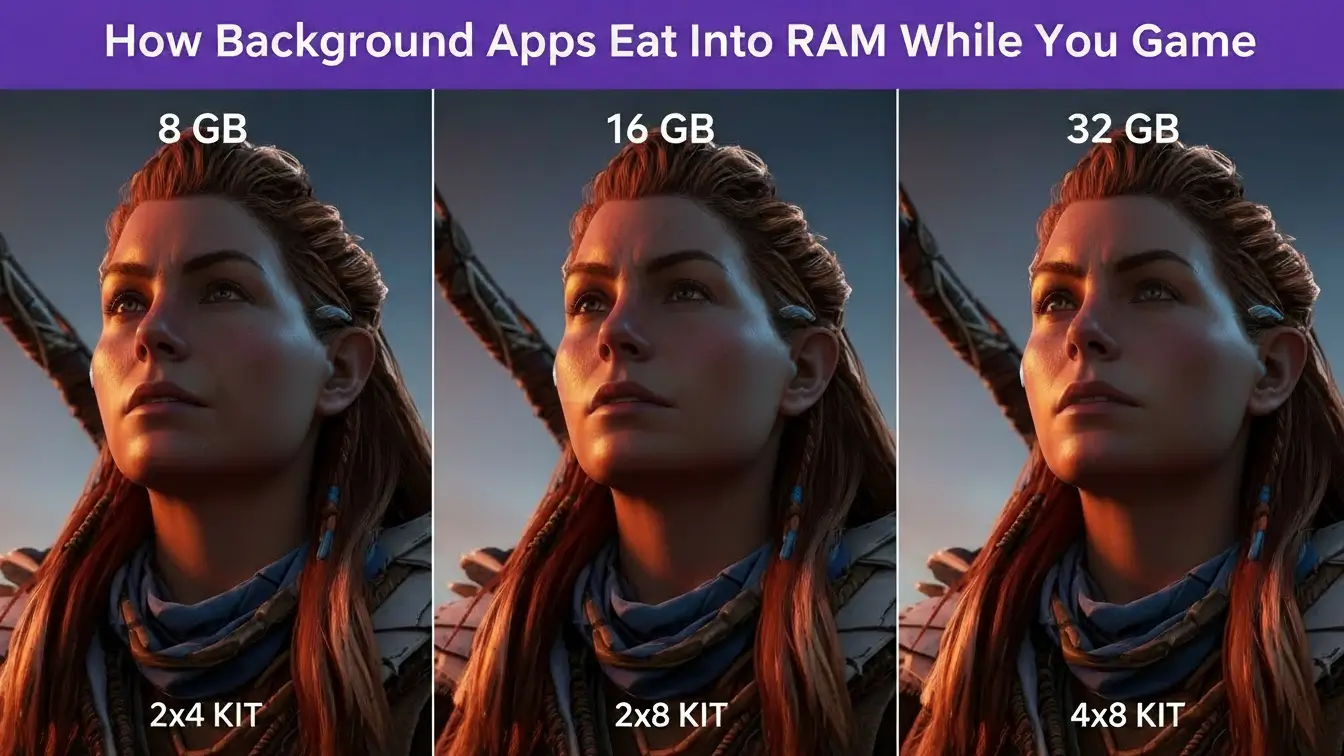
The Windows operating system itself needs RAM to function effectively. Windows 11 in an idle state uses roughly 3-4GB just for basic operation. Add in background services, antivirus software, and system processes, and you’re starting around 4-5GB before launching a single game or application.
When you add all this up, a typical gaming scenario looks like this: Windows and background processes use 5GB, Discord and communication apps take 600MB, your browser with multiple tabs consumes 4GB, and monitoring tools account for 800MB. That’s 10.4GB before your game even launches. On a 16GB system, you’re left with 5.6GB for your actual game, and we’ve already established that modern AAA titles want 10-16GB for comfortable operation. The math simply doesn’t work out anymore, which is why 32GB has become the practical minimum for comfortable gaming in 2026.
The solution isn’t to close everything and game in isolation. That defeats the purpose of having a powerful gaming PC. Instead, having adequate RAM means you can enjoy the full experience without compromise, keeping your social connections active, information readily available, and monitoring tools tracking your system without sacrificing gaming performance.
When faced with the choice between more RAM or faster RAM, capacity wins for gaming every single time. This is perhaps the most important principle to understand when allocating your memory budget.
Consider this common scenario: you have $150 to spend on RAM. You could buy 16GB of blazing fast DDR5-7200 RAM with tight CAS latency, or you could buy 32GB of solid DDR5-6000 RAM. The 16GB kit might score higher in synthetic benchmarks, but the moment you launch a demanding game with your usual background applications, you’ll hit memory limits that no amount of speed can overcome. The 32GB kit will deliver better real-world gaming performance despite being technically slower.
Testing bears this out consistently. A system with 32GB of DDR4-3200 RAM will outperform a system with 16GB of DDR5-7200 RAM in modern AAA games, especially after an hour or two of gameplay when memory usage climbs. Having enough RAM to avoid hitting the page file is exponentially more important than having slightly lower latency or higher bandwidth.
This doesn’t mean RAM speed is irrelevant. Once you’ve secured adequate capacity, faster RAM does provide measurable benefits. Moving from DDR5-4800 to DDR5-6000 while maintaining 32GB capacity makes sense if your budget allows. The sweet spot for DDR5 in 2026 sits around 6000MHz to 6400MHz, which offers excellent performance without the premium pricing of extreme-speed kits. For DDR4 systems, 3600MHz represents the optimal balance of performance and value.
XMP (Extreme Memory Profile) and EXPO (Extended Profiles for Overclocking) deserve mention here. These are preset overclocking profiles built into RAM kits that allow your memory to run at its rated speed rather than the default JEDEC specifications. A DDR5-6000 kit might default to 4800MHz until you enable its XMP or EXPO profile in your motherboard’s BIOS. Enabling these profiles is essential to getting the performance you paid for, and it’s usually as simple as selecting an option in your BIOS settings.
CAS latency (CL) is another specification you’ll see in RAM marketing. Lower numbers indicate faster response times, with CL30 or CL32 being common for DDR5-6000 kits. While lower latency does technically improve performance, the real-world gaming impact is minimal compared to capacity and speed. Don’t stress over whether you’re getting CL30 versus CL32 on your DDR5 kit. The difference is measurable in benchmarks but imperceptible in actual gameplay.
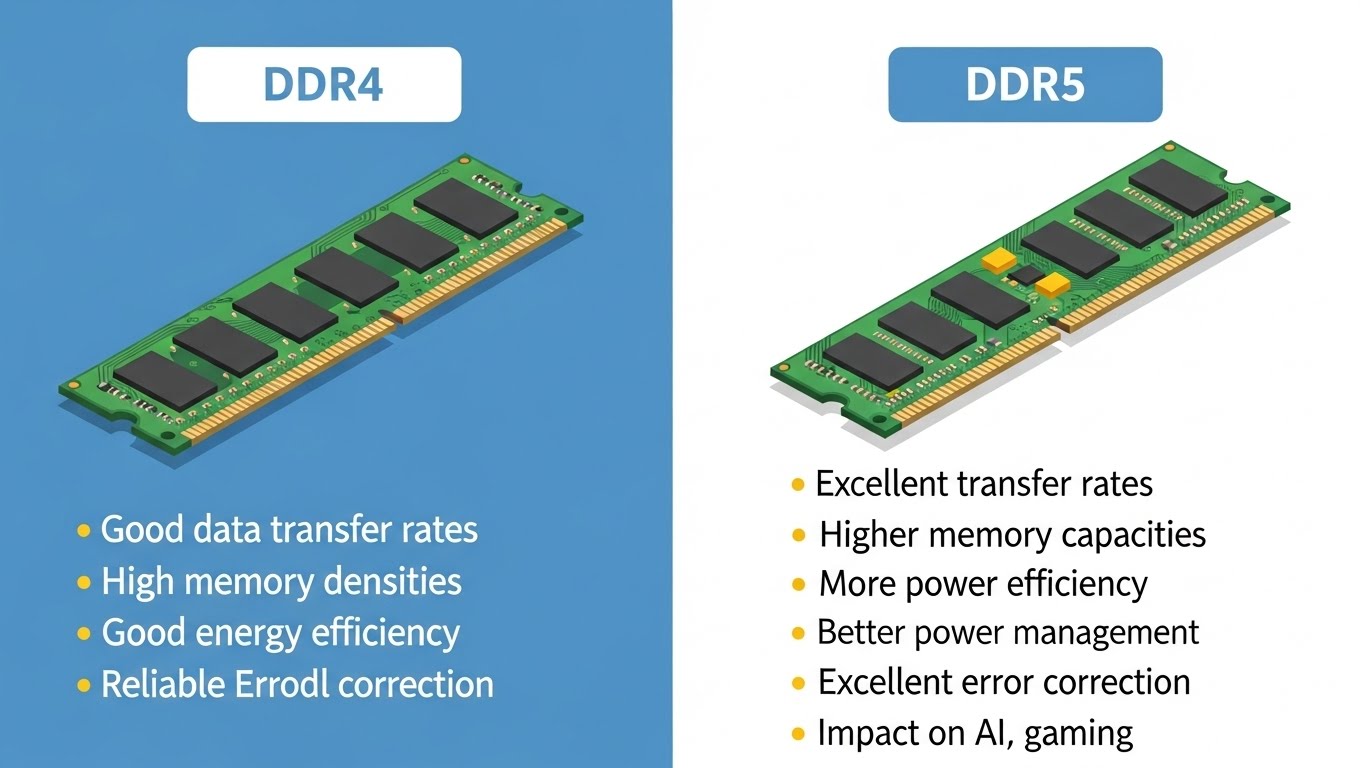
The transition from DDR4 to DDR5 represents the most significant advancement in consumer RAM technology in nearly a decade, and in 2026, we’re at an interesting inflection point where both technologies remain relevant for different use cases and budgets.
DDR4 RAM has reached maturity with excellent performance, widespread compatibility, and attractive pricing. A typical DDR4 kit runs at 3200MHz or 3600MHz with CL16 or CL18 latency timings, which delivers solid performance for gaming. Faster DDR4 kits at 4000MHz or even 4400MHz exist, but the performance gains become minimal past 3600MHz for most gaming scenarios. The real advantage of DDR4 in 2026 is value. You can get a quality 32GB DDR4-3600 kit from reputable brands for under $80, making it an excellent choice for budget-conscious builds or upgrades to existing DDR4-based systems.
DDR5 brings higher speeds and increased bandwidth, with mainstream kits running at 5600MHz, 6000MHz, or 6400MHz. Higher-end kits can reach 7200MHz or beyond, though the practical gaming benefits diminish at these extreme speeds. DDR5 also features improved power efficiency and on-die ECC (error correction) for better stability, though this is different from the full ECC RAM used in servers and workstations.
For pure gaming purposes, the performance difference between fast DDR4 and DDR5 is smaller than marketing materials might suggest. Testing with identical CPUs and GPUs shows that DDR5-6000 typically provides 3-8% better frame rates compared to DDR4-3600, with the benefit varying by game and scenario. CPU-limited situations show the biggest improvements, while GPU-limited scenarios show minimal differences. This makes sense because when your graphics card is the bottleneck, RAM speed has little impact on performance.
Where DDR5 shows clearer advantages is in minimum frame rates and frame time consistency. The extra bandwidth helps reduce those frustrating stutters and frame drops that occur when your system is rapidly loading new assets or handling intensive physics calculations. For competitive gamers who care more about consistent frame times than peak FPS, DDR5’s smoothness can be worth the premium.
Platform choice often dictates your RAM type. Intel’s 13th generation and newer CPUs support both DDR4 and DDR5, giving you flexibility, though 14th and 15th gen systems increasingly favor DDR5. AMD’s Ryzen 7000 and 9000 series processors only work with DDR5, making the decision straightforward. If you’re building a new high-end system in 2026, DDR5 is the obvious choice. If you’re upgrading an existing DDR4 system, staying with DDR4 and putting your budget toward a better GPU often delivers better gaming performance per dollar.
The myth that you need the absolute fastest RAM for gaming needs to be dispelled. While enthusiasts enjoy overclocking RAM to 7200MHz or higher and benchmarking the gains, practical gaming performance peaks around 6000-6400MHz for DDR5. Spending extra for extreme-speed kits rarely translates to noticeably better gaming experiences. Save that money for more impactful upgrades.
Your RAM doesn’t exist in isolation. The ideal amount and speed of memory you need depends heavily on the other components in your system and how they work together to deliver gaming performance.
CPU and RAM share an intimate relationship. AMD’s Ryzen processors, particularly the 7000 and 9000 series, benefit noticeably from faster RAM due to their architecture’s reliance on memory speed for Infinity Fabric performance. Going from DDR5-4800 to DDR5-6000 can yield 5-10% performance improvements in CPU-limited scenarios with Ryzen chips. Intel’s processors show less dramatic scaling but still benefit from faster memory, especially in scenarios where the CPU is working hard.
If you’re running a budget CPU like a Ryzen 5 7600 or Core i5-14400, you might not see the full benefit of expensive high-speed RAM because the CPU itself becomes the limiting factor before memory speed matters. Conversely, if you’ve invested in a Ryzen 9 9950X or Core i9-14900K, pairing it with slower RAM creates an imbalance where your powerful processor can’t stretch its legs fully.
GPU choice impacts RAM requirements in ways we’ve touched on but deserve emphasis. If you’re gaming at 1080p with an RTX 4060 or RX 7600, 16GB of RAM might suffice because the GPU itself limits what you can do with settings and resolution. You won’t be maxing out texture quality at 4K because your GPU doesn’t have the horsepower for it. But if you’ve splurged on an RTX 4080 or RX 7900 XTX for high-refresh 1440p or 4K gaming, you absolutely need 32GB of RAM to match the capabilities of your graphics card.
Storage plays a supporting role that many overlook. When your RAM fills up, Windows uses your fastest storage drive as virtual memory through the page file. If you’re running a fast NVMe Gen 4 or Gen 5 SSD, page file access is relatively quick, masking some of the pain of insufficient RAM. If you’re still using a SATA SSD or worse, a traditional hard drive, running out of RAM becomes catastrophically slow. This is why you’ll sometimes see wildly different reports of how much RAM is “enough”—users with ultra-fast SSDs can get away with less RAM than those with slower storage, though neither situation is ideal.
Motherboard compatibility and slot configuration matter too. Most modern motherboards have four RAM slots, and populating them with a balanced dual-channel or quad-channel configuration ensures you’re getting maximum bandwidth. Buying a single 16GB stick now with plans to add another later seems economical, but single-channel memory significantly hampers performance. Always buy RAM in matched pairs for dual-channel operation. If your motherboard has four slots, getting two 16GB sticks for 32GB total leaves room for future expansion to 64GB if you ever need it, though as we’ve discussed, most gamers never will.
For enthusiasts who want to squeeze every last drop of performance from their systems, RAM overclocking and tuning opens up possibilities beyond simply buying faster memory. However, it’s important to understand both the potential gains and the practical limitations before diving into the complexities of memory overclocking.
RAM overclocking involves running your memory at speeds higher than its rated specifications. A DDR5-6000 kit might be stable at 6400MHz or higher with the right settings and cooling. The process requires adjusting voltages, timings, and ratios in your motherboard BIOS, followed by extensive stability testing to ensure your system remains reliable. Tools like MemTest86, TM5 with the Anta777 Extreme profile, and in-game stress testing help verify stability.
The performance gains from RAM overclocking in gaming contexts are modest. Taking DDR5 from 6000MHz to 6800MHz might net you 2-5% better performance in CPU-limited scenarios, but you’ll spend hours testing and tuning for those gains. For competitive overclockers and enthusiasts, this is part of the fun. For most gamers, that time would be better spent actually playing games or optimizing graphics settings.
Timing tightening represents another avenue for optimization. RAM timings control how quickly the memory responds to requests, with primary timings (CAS latency, tRCD, tRP, tRAS) having the most visible impact. Tightening these from CL32 to CL30 or from CL30 to CL28 can improve responsiveness, but again, we’re talking about very small gains that require significant time investment to achieve while maintaining stability.
The risks of aggressive RAM overclocking are generally low compared to CPU or GPU overclocking. You’re unlikely to damage your RAM, motherboard, or other components with excessive voltage unless you really try. The bigger risk is instability leading to crashes, blue screens, or subtle data corruption. This is why extensive stability testing is crucial if you pursue overclocking.
For most gamers, simply enabling XMP or EXPO profiles and ensuring their RAM runs at its rated specifications represents the best balance of performance and convenience. These profiles are pre-tested by the manufacturer and provide the bulk of available performance gains without the hours of manual tuning required for further optimization.
One practical tip: if you’re buying RAM for potential overclocking, Samsung B-die chips (increasingly rare in 2026) and SK Hynix A-die or M-die chips tend to overclock well. However, memory chip lottery is real, and even identical RAM kits can have different overclocking potential. Unless you’re specifically interested in the hobby aspect of overclocking, don’t worry too much about which memory chips your RAM uses.
While this article focuses primarily on gaming, many PC gamers also stream their gameplay or create content, which significantly changes RAM requirements. If you’re doing anything beyond pure gaming, 32GB moves from “recommended” to “essential,” and 64GB starts making actual sense for the first time.
Streaming to Twitch or YouTube while gaming creates dual memory demands. Your game wants its usual 10-16GB, but now OBS Studio or Streamlabs OBS also needs memory for video encoding, managing scenes and sources, and buffering footage. If you’re using software encoding (x264) rather than GPU encoding (NVENC or AMD VCE), the CPU-based encoder becomes particularly memory-hungry. Add in browser sources for alerts, chatbots like StreamElements or Nightbot running in the background, and the memory requirements stack up quickly. Comfortable streaming while gaming typically requires 24-28GB of RAM usage, making 32GB necessary for smooth operation.
Content creators who edit videos face even heavier memory demands. Adobe Premiere Pro recommends 32GB as a starting point for 1080p editing, with 64GB recommended for 4K work, and 128GB suggested for professional 8K workflows. DaVinci Resolve is similarly demanding, especially when working with color grading, effects, and multiple video layers. If you’re the type of gamer who records extensive gameplay footage then edits together highlight reels or full playthrough videos, 32GB becomes the bare minimum, and 64GB genuinely enhances your workflow.

3D rendering, whether for thumbnails, animations, or game development, also loves RAM. Blender can easily use every bit of memory you give it when rendering complex scenes. Unreal Engine and Unity game development similarly benefit from abundant RAM, particularly when testing builds while keeping your development environment open.
The workflow matters too. If you close all other applications while editing and focus solely on that task, you can get by with less RAM. But if you’re the multitasking type who keeps your editing software open while browsing, researching, and testing in-game, having abundant memory prevents the constant app switching and memory management that Windows performs when RAM runs low.
For serious content creators who also game, the calculation changes to: 32GB minimum, 64GB if you work with 4K video or complex 3D rendering, and 128GB only if you’re doing professional work with 8K footage, massive 3D scenes, or running multiple virtual machines. The gaming performance remains unaffected by having 64GB instead of 32GB, but your creative work becomes noticeably smoother.
Recognizing when your RAM is truly limiting your gaming experience helps you make informed upgrade decisions. Several symptoms indicate memory pressure, though they can sometimes be confused with other hardware issues.
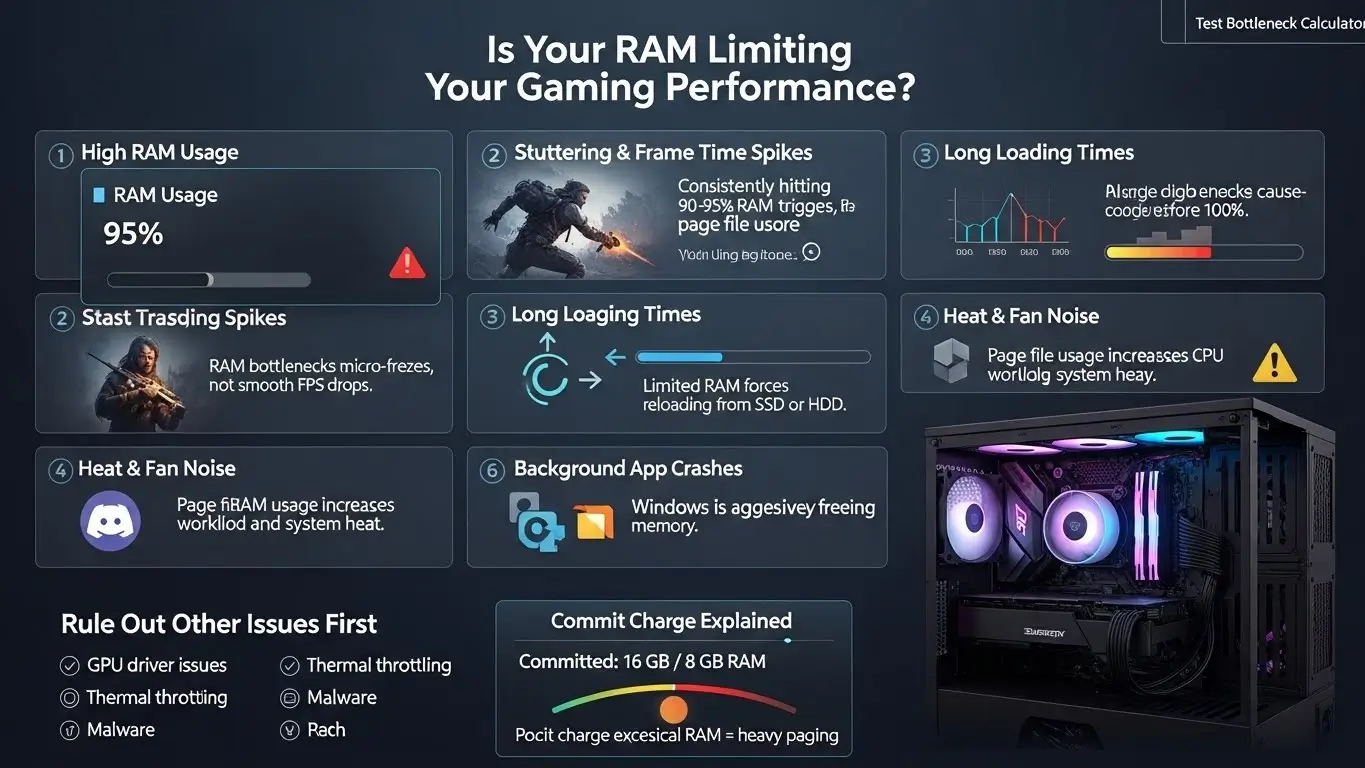
The most obvious sign is consistently maxed-out RAM usage visible in Task Manager or resource monitors. If you’re regularly seeing 90-95% memory utilization while gaming, you’re in danger of running into page file usage. Windows doesn’t wait until you hit 100% to start using the page file; it begins offloading less frequently accessed data to storage before you completely run out of RAM.
Stuttering and frame time inconsistency represent the most common gaming symptoms of insufficient RAM. Unlike dropped frames from GPU limitations that feel smooth but lower FPS, RAM-related stutters create brief freezes or hitches that disrupt gameplay flow. These often worsen during asset streaming scenarios, like entering new areas in open-world games or during heavy action sequences when many effects need to load simultaneously.
Longer loading times between levels or when fast traveling can indicate memory constraints. When you have ample RAM, games can cache more data, reducing how often they need to access storage. With limited RAM, the game must constantly reload data from your SSD or hard drive, extending loading times.
Background application crashes or forcible closures while gaming suggest Windows is desperately trying to free memory. If Discord frequently disconnects, your browser tabs reload when you alt-tab to them, or applications you left running have closed themselves, your system is struggling with memory management.
Increased fan noise and system heat during extended gaming sessions sometimes correlate with insufficient RAM. When Windows relies heavily on the page file, it causes increased storage access, which generates heat and requires additional cooling. Your CPU also works harder managing memory swaps, potentially raising temperatures.
The “commit charge” or “committed memory” value in Task Manager provides a more accurate picture than simple “memory used” statistics. This shows how much memory Windows has allocated including virtual memory. If commit charge significantly exceeds your physical RAM, you’re relying heavily on the page file.
Before upgrading RAM based on these symptoms, verify that other issues aren’t responsible. GPU driver problems, thermal throttling, background malware, or a failing SSD can create similar symptoms. Monitoring tools like HWiNFO and MSI Afterburner help you see exactly what’s happening with your system resources during gameplay.
Understanding whether RAM is truly limiting your system requires looking at the broader picture of component performance and balance. Many gamers blame one component when actually multiple factors are contributing to suboptimal performance.
A gaming PC experiences bottlenecks when one component limits the performance potential of other components. In an ideal world, every part operates at peak capacity, but in reality, something always holds back the rest. The key is ensuring your bottleneck is intentional and appropriate. For gaming, you generally want your GPU to be the limiting factor since that’s what processes the visual information and drives frame rates.
Checking for RAM bottlenecks specifically involves monitoring memory usage during actual gaming sessions. Open Task Manager (Ctrl + Shift + Esc), go to the Performance tab, and watch your Memory usage while playing demanding games. If you’re consistently above 85-90% utilization, RAM is likely constraining your system. More detailed monitoring with HWiNFO or Process Explorer shows exactly which applications are consuming memory and whether you’re experiencing page faults, which indicate Windows is swapping data between RAM and storage.
CPU and GPU bottlenecks interact with RAM in interesting ways. If your CPU is bottlenecking at 100% usage while your GPU sits at 60-70% utilization, RAM likely isn’t your issue. Similarly, if your GPU is maxed out at 98-100% while your CPU has headroom, your RAM is probably fine. However, if both CPU and GPU show moderate usage around 60-80% with inconsistent frame rates, insufficient RAM could be preventing either component from working at full capacity.
Many gamers struggle to diagnose bottlenecks because they occur situationally. Your system might run perfectly in simple indoor scenes but stutter in expansive outdoor areas. This often indicates RAM or VRAM constraints as the game tries to load and manage more assets simultaneously. Similarly, performance degradation over long gaming sessions strongly suggests memory management issues.
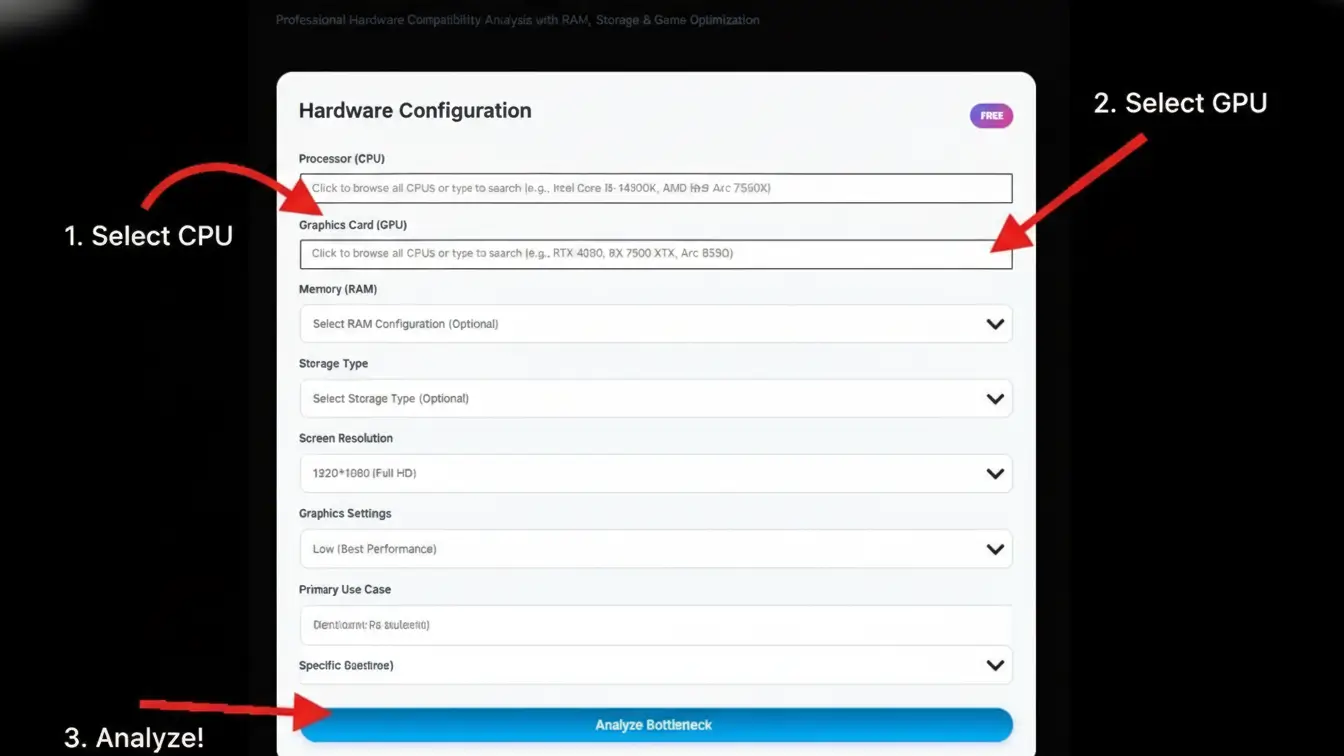
This is where a bottleneck calculator tool becomes invaluable. Rather than manually monitoring resources and trying to interpret the results, a bottleneck calculator analyzes your specific component combination and identifies where limitations exist. It considers how your CPU, GPU, and RAM interact at different resolutions and game scenarios to give you actionable insights about where upgrades would provide the most benefit.
If you’re trying to decide whether upgrading from 16GB to 32GB will help your specific system, using our bottleneck calculator takes the guesswork out of the equation. Enter your current CPU, GPU, and RAM configuration, and it will show you whether memory is holding back your gaming performance or if your budget would be better spent elsewhere. This prevents wasting money on upgrades that don’t address your actual limitations.
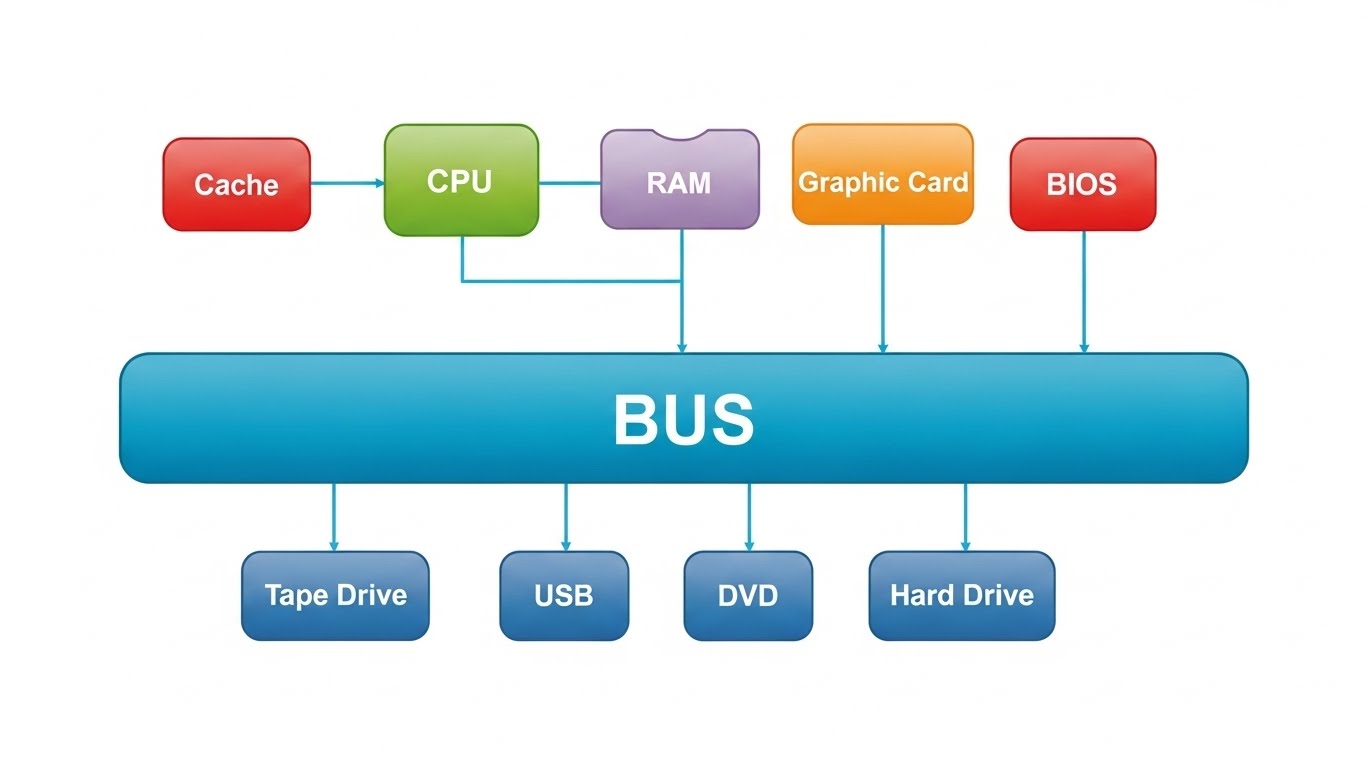
After examining all the factors, data, and scenarios, we can provide clear recommendations that serve different types of gamers and budgets.
For pure budget gaming at 1080p with competitive titles like Valorant, Counter-Strike 2, and League of Legends, 16GB remains viable if you’re disciplined about closing background applications. Pair this with a Ryzen 5 7600 or Core i5-14400 and an RTX 4060 or RX 7600, and you’ll get smooth performance in esports titles and less demanding games. However, understand you’re buying the minimum acceptable amount for 2026, not a comfortable long-term solution.
Mid-range gaming builds should target 32GB as the standard. If you’re spending $1200 to $1800 on your complete system, allocating $100-120 for 32GB DDR5-6000 RAM makes sense. This pairs well with CPUs like the Ryzen 7 7700X or Core i7-14700K and GPUs ranging from the RTX 4070 to RX 7800 XT. At 1440p with high to ultra settings, 32GB ensures smooth gameplay with all your background apps running.
High-end enthusiast builds should still stick with 32GB unless you have specific needs beyond gaming. That $2500-3500 system with a Ryzen 9 9900X and RTX 4090 deserves quality DDR5-6400 or faster RAM, but more than 32GB won’t make your games run better. Invest the money you save by not buying 64GB into a better monitor, faster storage, or premium peripherals that actually impact your experience.
Content creators and streamers who game need 32GB minimum, with 64GB making sense if you regularly work with 4K video editing, 3D rendering, or run virtual machines. The extra memory won’t help your gaming but transforms your creative workflow. If you can’t decide, start with 32GB and monitor your usage during editing and streaming sessions. If you’re consistently pushing against that limit, upgrade to 64GB. If you have headroom, save your money.
The laptop gaming market deserves special mention. Gaming laptops with 16GB soldered RAM should be avoided unless you’re on a very tight budget and only playing competitive titles. Look for laptops with 32GB or at least the ability to upgrade, though many modern thin gaming laptops have soldered RAM that can’t be upgraded. In laptop shopping, treating 32GB as mandatory prevents buyer’s remorse six months later when you realize you’re memory constrained.
For those building systems from scratch, consider RAM upgrade paths. Buying two 16GB sticks for 32GB total leaves two slots empty for future expansion if needed. Getting four 8GB sticks also gives you 32GB but prevents easy upgrades without replacing all your RAM. The two-stick configuration provides flexibility even if you never use it.
The RAM landscape in 2026 is clearer than it might initially appear through the noise of marketing and conflicting advice. Sixteen gigabytes represents the absolute minimum for modern gaming with significant compromises required. Thirty-two gigabytes delivers comfortable performance for virtually all gaming scenarios with room for multitasking and longevity. Sixty-four gigabytes exceeds gaming requirements but makes sense for specific creative and professional workflows.
The sweet spot remains 32GB for the vast majority of gamers. This provides genuine future-proofing without wasting money on capacity that goes unused. When you consider that quality 32GB DDR5 kits cost only $100-150, the value proposition is excellent. You’re buying peace of mind, smooth performance, and the flexibility to use your PC however you want without worrying about memory management.
If budget constraints force a choice between 16GB of very fast RAM or 32GB of moderately fast RAM, always choose capacity over speed. If the choice is between 32GB of RAM or a better GPU, that depends on your current setup, but generally the GPU upgrade provides more noticeable gaming improvement unless you’re already running a high-end graphics card.
DDR5 vs DDR4 depends on platform compatibility and budget. New builds should generally opt for DDR5, while existing DDR4 systems can upgrade to more DDR4 capacity cost-effectively. The gaming performance difference between fast DDR4 and DDR5 is real but modest, rarely justifying platform replacement purely for memory type.
The gaming industry continues evolving, with Unreal Engine 5 titles and increasingly detailed worlds pushing system requirements higher. Games in 2027 and 2028 will likely demand even more memory. This doesn’t mean you should over-buy today, but it does validate choosing 32GB as a reasonable capacity that should remain adequate for several years.
Don’t forget that RAM works in concert with your other components. Using our bottleneck calculator helps ensure your RAM choice makes sense with your CPU and GPU. There’s no point in having 32GB of fast RAM if your budget GPU can’t handle the games you want to play at decent settings. Balance across components delivers better experiences than maximizing one specification at the expense of others.
No, 32GB is not overkill for gaming in 2026. While many games can run on 16GB, modern AAA titles increasingly benefit from 32GB, especially when accounting for background applications like Discord, browsers, and streaming software. The extra headroom prevents stuttering and ensures smooth performance during extended gaming sessions.
Sixteen gigabytes remains functional for 1080p gaming with competitive titles and older AAA games, but it’s becoming the bare minimum. Many new releases recommend 32GB, and running out of RAM causes stuttering and forces Windows to use slower storage as virtual memory. For comfortable gaming in 2026, 32GB is the better choice.
Yes, 64GB is overkill for pure gaming purposes. No current games utilize anywhere near 64GB of RAM, even at 4K with maximum settings. The extra memory provides zero gaming performance benefit. However, 64GB makes sense for content creators who game, streamers, and users running professional applications like video editing or 3D rendering software.
RAM doesn’t directly increase FPS the way a better GPU would. However, insufficient RAM causes stuttering and frame time inconsistency that makes games feel choppy. Having enough RAM ensures smooth asset streaming and eliminates micro-stutters. Faster RAM speeds can provide small FPS improvements, typically 3-8%, especially with AMD Ryzen processors.
No, 4GB RAM is completely inadequate for modern gaming in 2026. Even Windows 11 itself requires 4GB minimum, leaving nothing for games. Most current games won’t even launch with only 4GB. This amount of RAM is only suitable for very basic computing tasks, not gaming.
While GTA 5 is nearly a decade old and less demanding than modern titles, attempting to run it on 4GB RAM would result in severe performance issues, constant stuttering, and potential crashes. GTA 5 officially requires 8GB minimum, though 16GB is recommended for smooth gameplay, especially when using mods or playing GTA Online.
Two gigabytes of RAM cannot run any modern games or even Windows 11, which requires 4GB minimum. This amount of memory is only suitable for very old operating systems and basic web browsing on lightweight Linux distributions. For any gaming in 2026, you need at least 16GB, preferably 32GB.
PUBG requires 8GB RAM minimum and strongly recommends 16GB for optimal performance. Attempting to run PUBG on 2GB RAM would be impossible; the game simply won’t launch. Modern battle royale games require substantial memory to load large maps and handle many players simultaneously.

Founder at TestBottleneckCalculator
Ryan is the creator of TestBottleneck Calculator, a smart online tool designed to help PC enthusiasts identify and fix performance bottlenecks in their computer setups. With deep experience in hardware benchmarking, gaming optimization, and component compatibility, Ryan’s mission is to make system performance easy to understand for everyone from first-time builders to advanced users.
Through detailed hardware guides, upgrade tips, and data-driven analysis, he helps users build faster, more balanced systems that deliver maximum performance for their budget.